


Goonite
4.665.00 Reviews
App Specs
- Version
- 1.1.4
- Updated On
- License
- Free
- Downloads
- 1,000,000+
- Developer
- MGODIN LLC
- Categories
- Social
- Platform
- Android
Screenshots



 Analysis by AppCompare
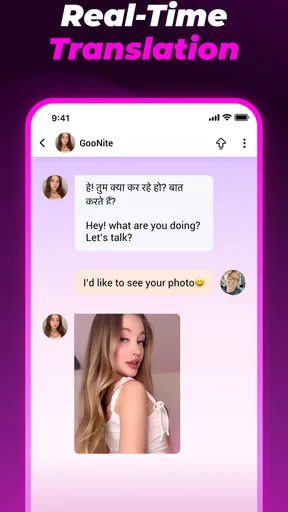
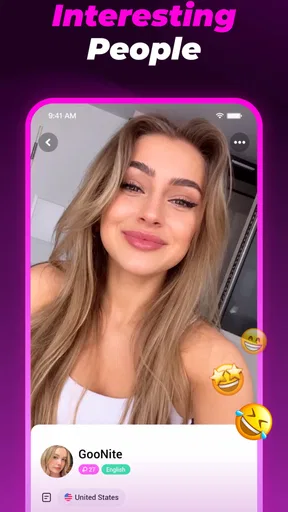
I approached Goonite as a social app for meeting people through video rather than as another feed to scroll. Its central idea is straightforward: connect with people worldwide and use automatic translation to make conversations easier across languages. In practice, that makes it most interesting for users who want a more direct, spontaneous exchange than text comments or ordinary messaging can provide.
My first impression was that the app’s appeal depends less on collecting content and more on how comfortable you feel starting a live conversation with someone unfamiliar. That is an important distinction. If you enjoy quick face-to-face interaction and the possibility of discovering different languages and cultures, Goonite has a clear reason to exist. If you prefer carefully written messages, quiet browsing, or a tightly controlled circle of known contacts, the same design may feel too exposed.
It is a free social app from MGODIN LLC, with optional in-app purchases ranging from $0.99 to $99.99 per item. The app is marked Mature 17+, so I would treat that age boundary as part of the decision, not as a small store label to overlook. It has reached over a million installs and holds a 4.5 average from around twenty-two thousand ratings, which suggests that the live-video concept has found a substantial audience.
How Goonite fits into a shared household
The most realistic household scenario is not everyone using one profile together. It is a shared phone or tablet being passed between adults, older teenagers, or members of a household who each want occasional access to international video chat. In that situation, the important question is not simply whether the app is entertaining. It is whether each person can keep their own conversations, expectations, and boundaries separate.
I would avoid treating Goonite like a family group-messaging tool. Its value comes from personal interaction with people outside the household, so the user should be the person who chooses when to appear on camera, how long to remain in a conversation, and when to leave. On a shared device, that means handing over the device only after closing the current session and checking that the next person is starting from the correct account context.
This is also where the live format changes the household routine. A messaging app can be left open while someone cooks or studies, but a video conversation demands attention, privacy, and a suitable environment. I would use it in a room where the speaker is comfortable being seen and heard, rather than casually opening it in a public family space. Headphones can help prevent other household members from becoming accidental participants, while a quiet background makes translated conversation easier to follow.
One useful habit is to decide the purpose before opening the app. A user might want to practise casual conversation, meet someone from another country, or simply have a short social break. That small decision helps prevent aimless switching between conversations. It also makes it easier to stop when the interaction is no longer enjoyable, because the user has a clear reason for being there instead of feeling obliged to continue.
Worth Reading Before You Choose

Flipboard Shows What News Apps Must Do Beyond the Feed

Switching to Android Auto Means Rethinking Your Driving Routine

Google Calendar Makes a Crowded Week Easier to Manage

Ludo King Makes the Most of the Minutes Between Plans

Baby Panda World Brings Quick Play to Modern Phones, but Its Game Library Feels Busy

ESPN’s Live Game View Makes Following Close Games Easier
Separate the person from the device
On a shared device, I would make account boundaries part of the setup rather than an afterthought. The person using Goonite should know which profile is active, whether the device is still connected to another person’s session, and who will see any visible conversation history or account activity. I would not assume that passing the phone to another household member automatically creates a clean separation.
A simple handover routine works better than relying on memory. Finish the conversation, leave the active screen, and give the next user a moment to confirm that they are entering their own space. If several people use the same device, it is sensible to agree that nobody opens another person’s conversation or continues a session that is not theirs. Those are ordinary privacy rules, but they matter more when the app involves live video and unfamiliar contacts.
I would also keep payment awareness in mind. The app itself is free, but optional purchases can cost from $0.99 to $99.99 per item. On a device used by more than one person, the owner should be clear about who may approve purchases and who may not. I would never hand the device to a younger household member with the assumption that “free” means there is no spending decision involved.
Another practical boundary concerns the camera. Before starting a call, check what is visible behind you. A bedroom, family noticeboard, school item, work document, or an address shown on packaging can reveal more than intended. This is not a special problem unique to Goonite, but the worldwide video-chat format makes it especially relevant because the other person may be a complete stranger.
Using translation without surrendering judgment
Automatic translation is the feature that separates Goonite from a standard video-chat app, but I would treat it as a bridge rather than a perfect interpreter. Short, clear sentences are usually a better strategy than fast speech, slang, sarcasm, or several ideas packed into one message. If a reply seems confusing, rephrase it instead of immediately assuming the other person is being rude or evasive.
There is a useful workflow here: begin with a simple greeting, confirm the language you are using, and keep the first exchange light. If the conversation becomes more personal, pause to make sure both people understood the same thing. Translation can make an interaction possible, but it cannot verify someone’s identity, intentions, age, or honesty. That distinction is crucial when the app is used in a household with different levels of online experience.
I also found that translation changes the rhythm of a video conversation. A pause does not necessarily mean the other person has lost interest; they may be waiting for the wording to make sense. Giving the conversation an extra moment can reduce awkwardness. On the other hand, if the exchange remains unclear after several attempts, ending it is more sensible than forcing a connection simply because the app made one possible.
For language learners, this can be more useful than a conventional social feed because the interaction has a real human response. Still, I would not use a live conversation as the only place to practise important phrases. A notebook or separate translation reference can help record expressions that worked well, while Goonite remains the place for natural back-and-forth rather than formal study.
Coordination matters more than the app suggests
In a household, coordination is easiest when users agree on when and where live conversations are acceptable. A person working from home may not want another family member speaking loudly in the next room. Someone sharing a bedroom may need to ask before turning on a camera. These are not app controls; they are household agreements that prevent the social experience from becoming a source of friction.
I would also set a clear rule for interruptions. If someone needs the device, the person on the call should end the conversation normally rather than simply handing it over while the camera is active. That protects both sides of the interaction and avoids exposing a household member who did not agree to appear. The same rule applies when a call becomes uncomfortable: leave first, explain later.
For people who use Goonite at different times, a short verbal handover can help. Mention whether the device is charged, whether the speaker or headphones are connected, and whether the previous user has fully ended their session. This sounds mundane, but it prevents the most avoidable mistakes in shared-device use: the wrong microphone, the wrong profile, and a conversation continuing when the user believed it had stopped.
A second coordination issue is emotional rather than technical. A lively conversation can run longer than planned, especially when translation turns a simple greeting into an unexpected cultural exchange. I would use a timer or a personal stopping point if the app is being used during study, work, or family time. The goal is not to make the experience rigid; it is to keep a spontaneous social app from quietly taking over the evening.
Age, trust, and the mature rating
Goonite carries a Mature 17+ rating, and that should shape who uses it. I would not present it as a general family app or hand it to a child simply because the interface looks approachable. Live video with people worldwide creates a different level of exposure from browsing public posts. The user must be able to recognise pressure, end a conversation, protect personal information, and tell a trusted adult when something feels wrong.
For an older teenager who meets the age requirement, a conversation about boundaries is more useful than a vague warning to “be careful.” I would suggest not sharing a home address, school details, daily routine, private contact information, or identifiable views in the background. The user should also understand that a friendly conversation is not proof that the other person is trustworthy. If someone pushes for secrecy, requests personal images, asks for money, or tries to move the interaction somewhere uncomfortable, the right response is to stop.
Adults should follow the same principles. The age rating does not remove the need for judgment, and automatic translation does not make a stranger safer. In my view, the strongest protection is a clear exit habit: no one owes a stranger a continued conversation, an explanation, or a second chance after a boundary has been crossed.
Trust also applies inside the household. If one person uses Goonite, other family members should not secretly watch, record, or interfere with a live conversation. Respecting the user’s privacy does not mean ignoring safety concerns; it means discussing expectations openly before use. That balance is particularly important when an older teenager shares a device with parents or siblings.
Where it beats ordinary social alternatives
Compared with a text-first social network, Goonite offers immediacy. You do not have to build a long written exchange before discovering whether conversation feels natural. Compared with a standard video-calling service, its worldwide social focus makes it more suitable for meeting people outside an existing contact list. Compared with a language-learning platform, it appears less structured and more spontaneous, which can be appealing to users who learn best through informal interaction.
Those advantages come with trade-offs. Text gives you time to think, edit, and decide what to reveal. A familiar video-calling app gives you more control because you already know the people involved. A dedicated language-learning service may provide clearer lessons and more predictable practice. Goonite sits between these options: more personal than scrolling, less predictable than a planned lesson, and more socially open than calling friends.
That makes the app a good fit for a user who wants genuine conversation rather than polished content. It is less suitable for someone who needs verified identities, professional networking, private family calls, or a carefully moderated learning environment. If your main goal is to contact people you already know, a conventional messenger is likely the simpler choice. If your main goal is to study grammar systematically, Goonite should complement, not replace, a structured resource.
The translation angle is also a reason to keep expectations realistic. It can lower the language barrier, but it does not remove cultural differences, awkward pauses, or misunderstandings. I would judge the app by whether it helps two people begin communicating, not by whether every sentence arrives with textbook precision.
Version, access, and the practical cost
The current version is 1.1.4, and the app supports Android 7.0 or later. That makes it accessible on a wide range of Android devices, including older phones that may still be used as shared household devices. Even so, video chat is demanding in a way that a simple messaging app is not. Before blaming the app for a poor experience, I would check the camera, microphone, battery level, and the stability of the connection.
The free entry point makes it easy to try without committing money at the start. Optional purchases change that equation, particularly on a shared device where several people may use the same store account. I would decide in advance whether purchases are allowed, who approves them, and whether the app is being used enough to justify spending. The range from $0.99 to $99.99 per item is wide enough that casual tapping should not be treated as harmless.
I would also recommend trying the basic experience during a short, low-pressure session rather than immediately planning a long conversation. That reveals whether the user enjoys the pace of live interaction, whether translation feels comfortable, and whether the household can provide enough privacy. A short trial is more informative than judging the app solely from its rating or its promise of worldwide connection.
My household verdict
After looking at Goonite through the lens of shared use, I see a focused social app rather than a universal communication tool. Its strongest quality is the way video and automatic translation can turn an unfamiliar person into a real conversational partner without requiring both users to speak the same language perfectly. That is a meaningful advantage for curious adults, older eligible teenagers, and language learners who enjoy unscripted exchanges.
My recommendation comes with firm conditions. Use it with a personal account boundary, a private setting, a clear stopping rule, and sensible limits on what appears on camera. On a shared device, end every session properly and keep purchases under the device owner’s control. For anyone under the Mature 17+ rating, I would skip it rather than trying to make it fit a younger household.
I would choose Goonite over an ordinary social feed when I wanted conversation instead of passive browsing, and over a standard video messenger when I wanted to meet people beyond my existing contacts. I would choose something else for family calls, professional communication, child-friendly use, or structured language instruction. The app is at its best when openness is balanced with deliberate boundaries.
Overall, I think Goonite is worth trying for the right person: someone comfortable with live video, interested in worldwide conversation, and mature enough to manage uncertainty. Its free starting point and strong user response make experimentation easy, while the optional purchases and open social format call for restraint. In a household, I would recommend it as an individual activity with agreed rules, not as a casual app for everyone to share without discussion.
Pros
- Simple interface makes browsing and choosing content quick.
- Lightweight design should work well on many older devices.
- Useful for discovering new entertainment in one place.
- Fast navigation keeps the overall experience convenient.
- Regular content updates can give users more reasons to return.
Cons
- Some features may require an account or personal information.
- Content availability can vary depending on your country or region.
- The app may include advertisements during normal use.
- Limited customization may disappoint users seeking more control.
- Performance can depend heavily on your internet connection.
FAQs for Goonite
What is Goonite, and what can I use it for?
Goonite is an entertainment-focused app whose exact features may vary depending on the version, region, and platform where it is installed. Before downloading, users should review its official store description to understand whether it provides games, social features, media, or another type of interactive experience. After installation, explore the main menu and privacy settings first so you can understand how the app works and what information it requests.
Is Goonite free to download and use?
Goonite may be available as a free download, but users should not assume that every feature is included at no cost. Some apps use optional purchases, subscriptions, advertising, or paid upgrades to unlock additional content. Check the Google Play Store or Apple App Store listing for pricing details, in-app purchase information, and subscription terms before installing. If a trial is offered, read the renewal conditions carefully.
Is Goonite safe for Android and iPhone users?
The safest way to install Goonite is through the official Google Play Store or Apple App Store rather than downloading an unofficial APK or modified version from an unknown website. Before installation, check the developer name, recent reviews, requested permissions, privacy information, and update history. Avoid granting access that seems unrelated to the app’s purpose, and keep your device’s operating system and security software updated.
What permissions and personal information might Goonite request?
The permissions required by Goonite depend on its features and the device you use. It may request access to notifications, storage, the microphone, camera, contacts, or network connectivity, although not every version will need all of these. Review the permission prompts individually and deny optional access that you do not feel is necessary. You should also read the app’s privacy policy to learn how collected data is stored, used, and shared.
Will Goonite work smoothly on my device, and does it require an internet connection?
Compatibility and performance can differ between Android phones, iPhones, tablets, and operating-system versions. Check the app-store listing for minimum requirements, supported devices, download size, and the latest update date before proceeding. Goonite may also require a stable internet connection for sign-in, content loading, online features, advertisements, or synchronization. If your device has limited storage or an older operating system, performance may be reduced.


